Budget threshold alerts
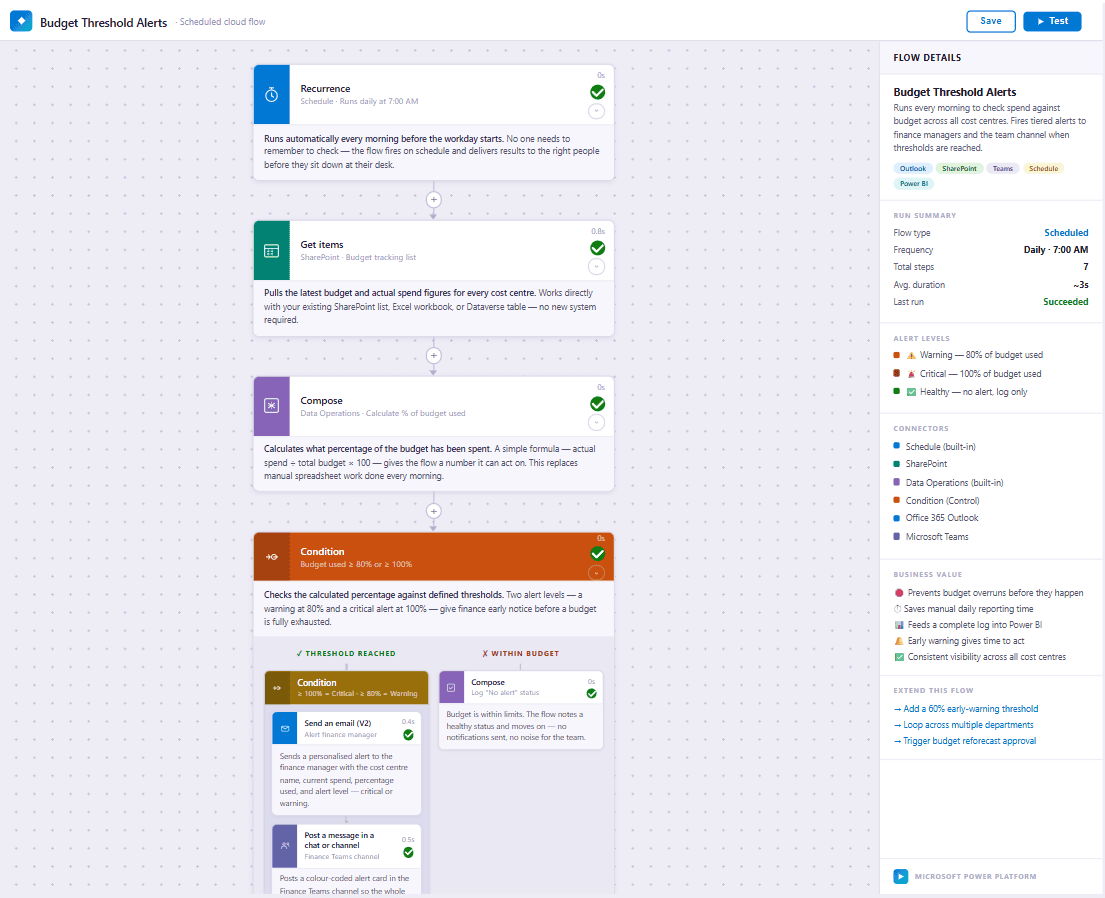
When spending in a category passes a set threshold, the flow alerts the finance manager and the team channel, and logs the result.

These are examples of the Microsoft Power Automate flows Bauer Automate builds, from a Microsoft 365 and Power Platform consultancy in Calgary, Alberta. Most follow the same shape. Someone submits a request, the flow routes it to the right person, the decision is recorded, and everyone who needs to know is told. Every flow runs inside the client's own Microsoft 365.
When spending in a category passes a set threshold, the flow alerts the finance manager and the team channel, and logs the result.
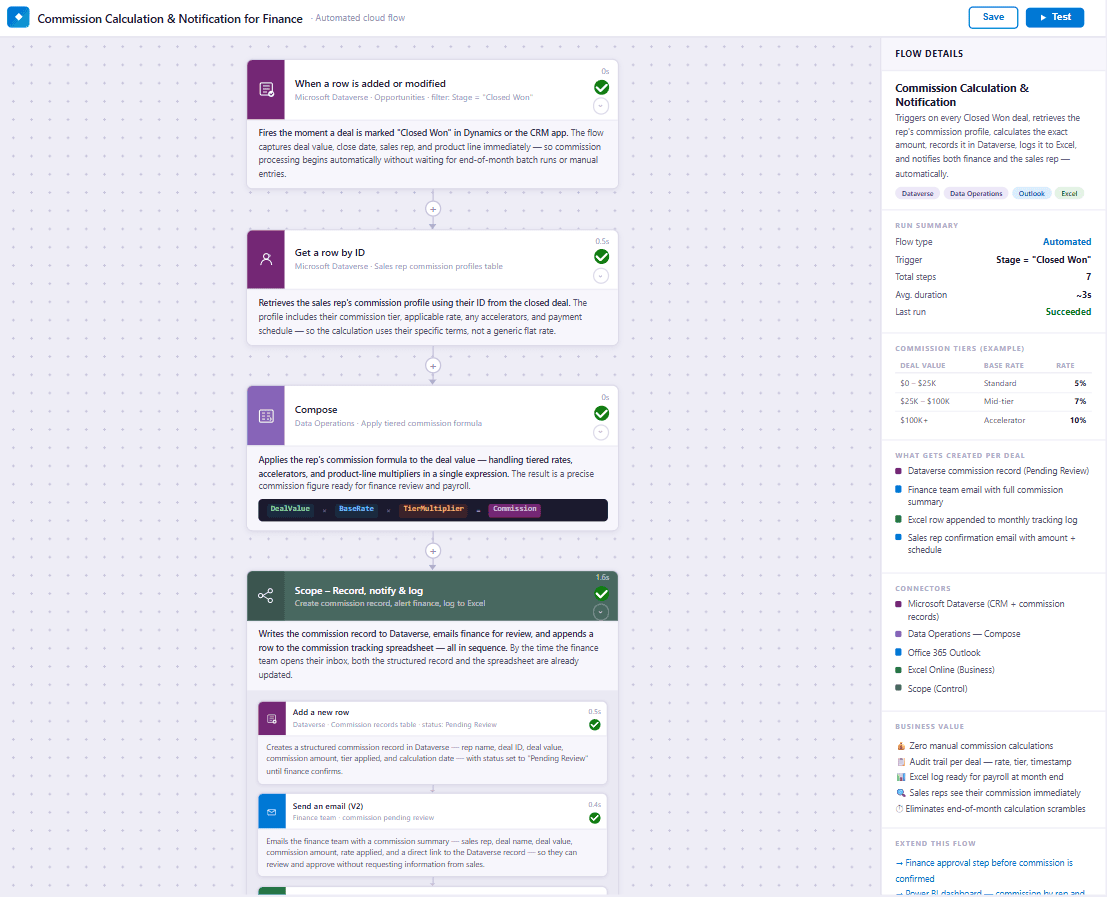
When a deal is marked Closed Won, the flow calculates the commission from the rep's rate, records it for finance review, and notifies finance and the rep.
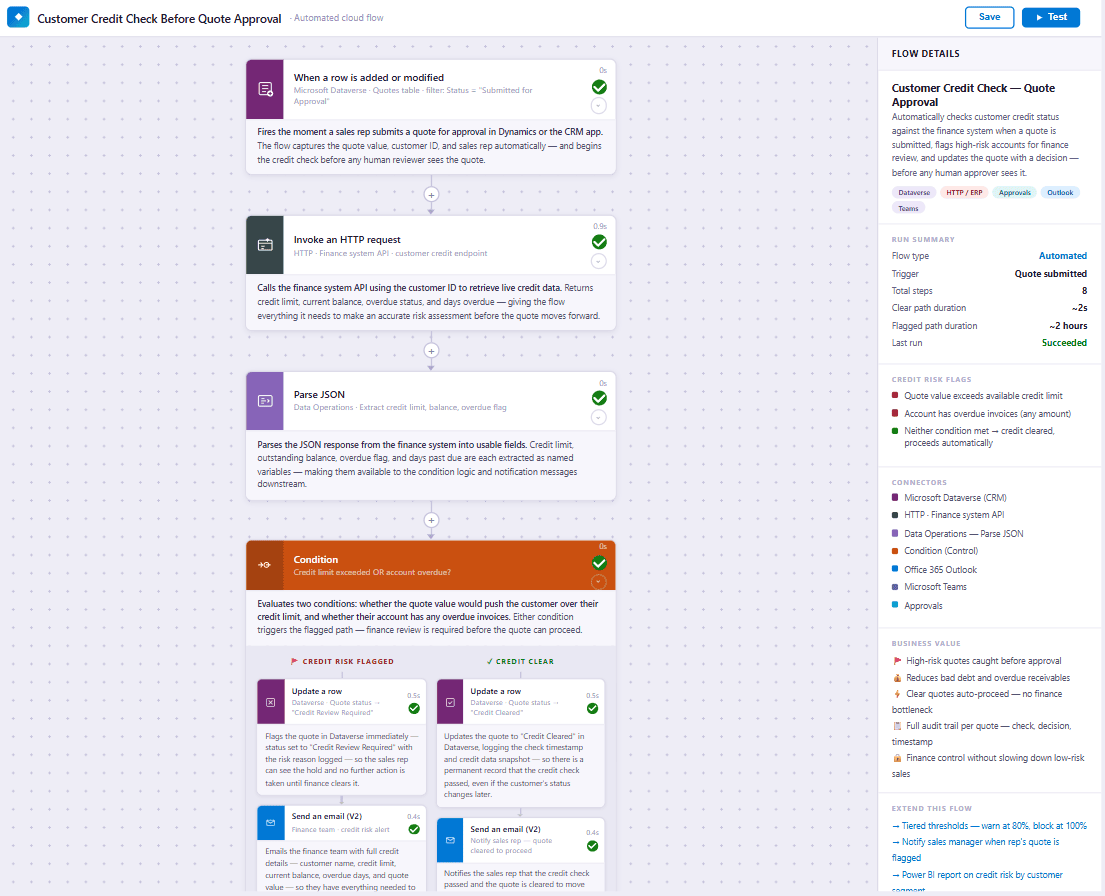
When a quote is submitted, the flow checks the customer's credit status, holds it for finance review if the limit is exceeded or an invoice is overdue, and clears the rest automatically.
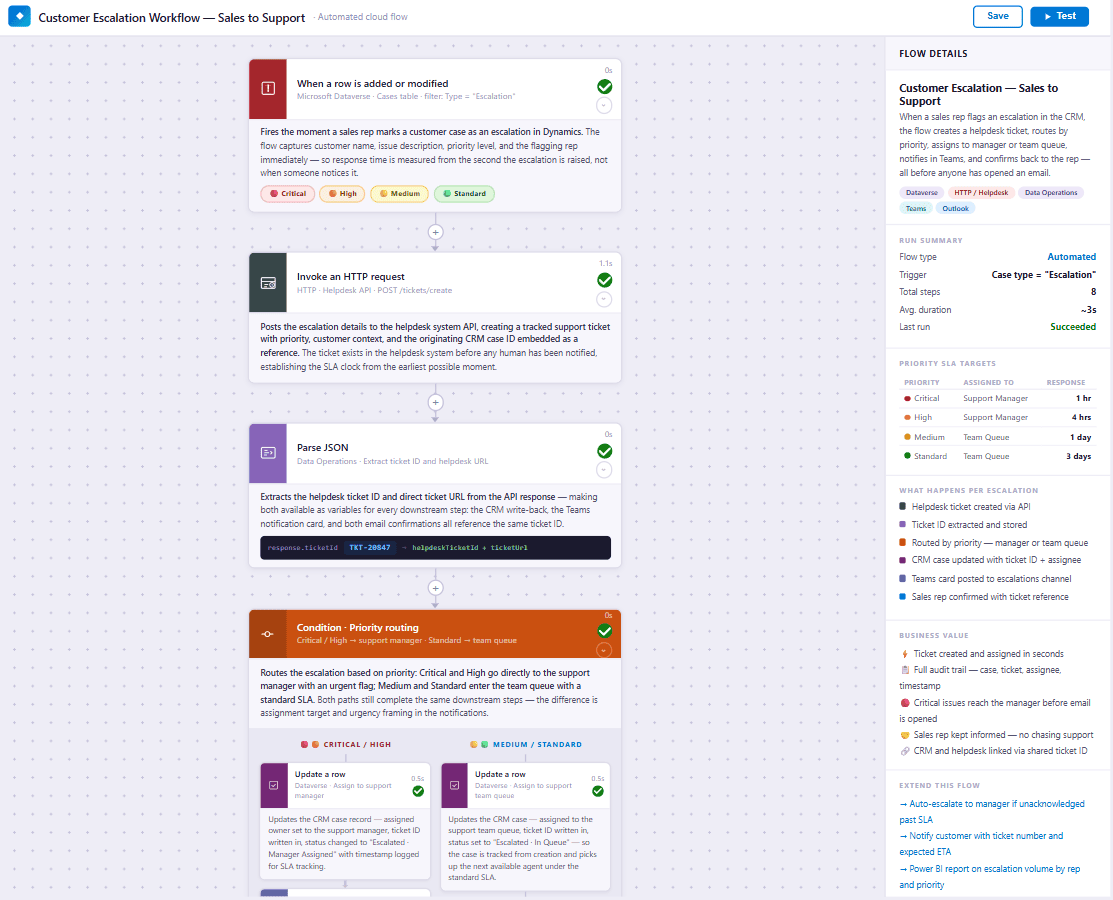
When a sales rep marks a case as an escalation, the flow opens a helpdesk ticket, routes it by priority, and confirms back to the rep.
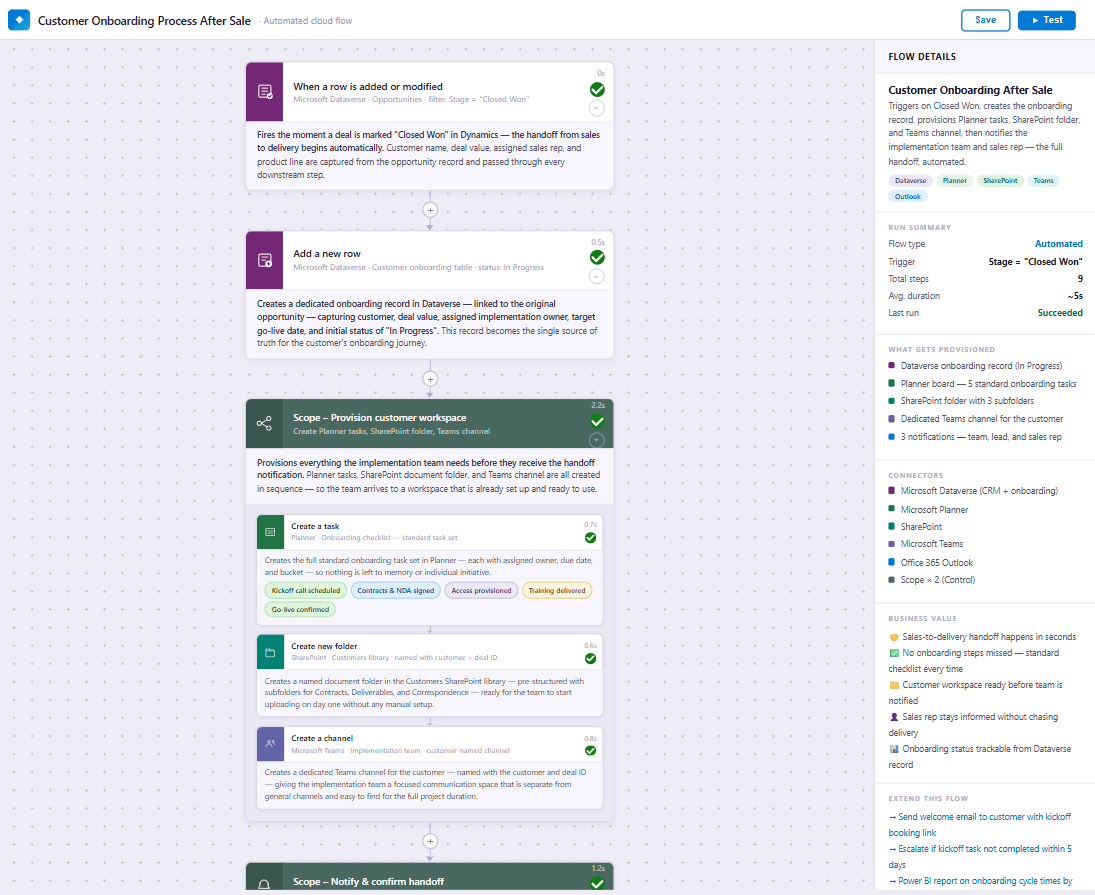
When a deal is marked Closed Won, the flow creates the onboarding record, Planner tasks, customer folder and Teams channel, then notifies the team and the sales rep.
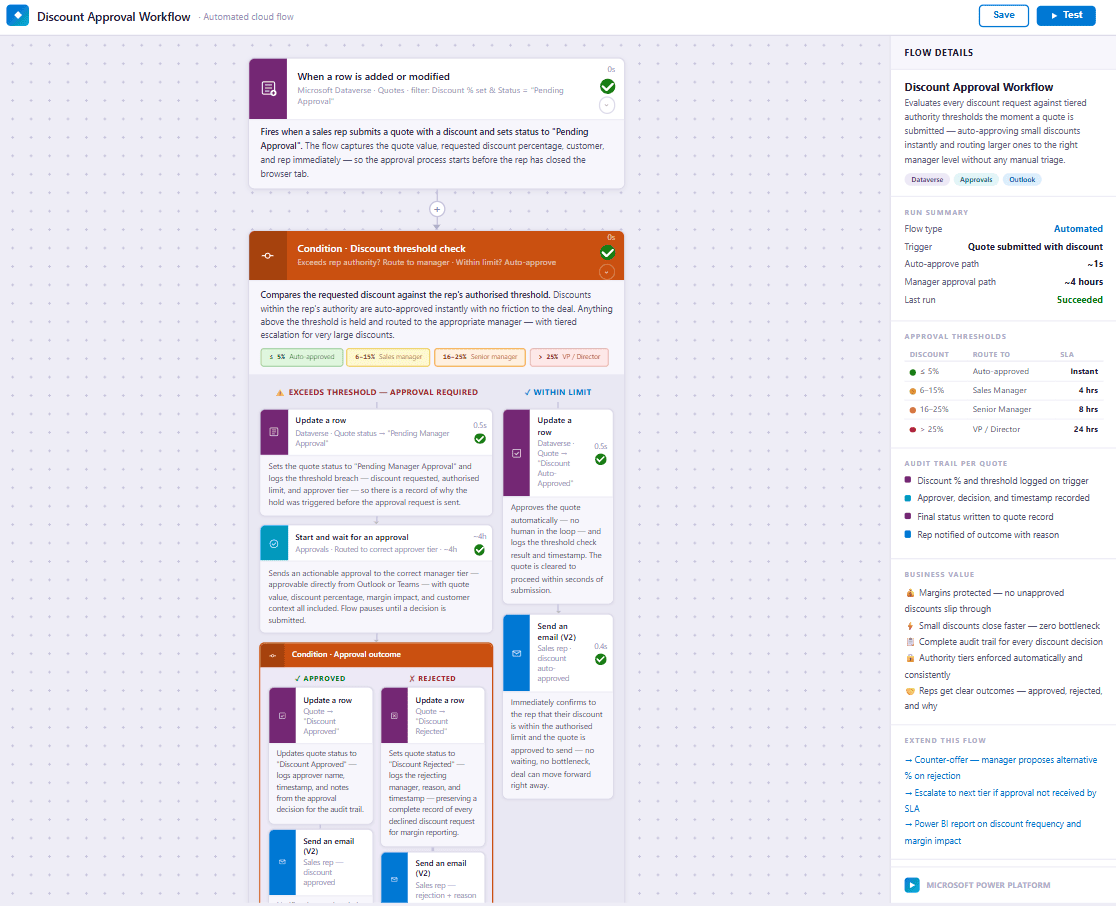
A discount within the rep's limit is approved automatically. A larger one routes to the right manager, and the decision is logged on the quote.
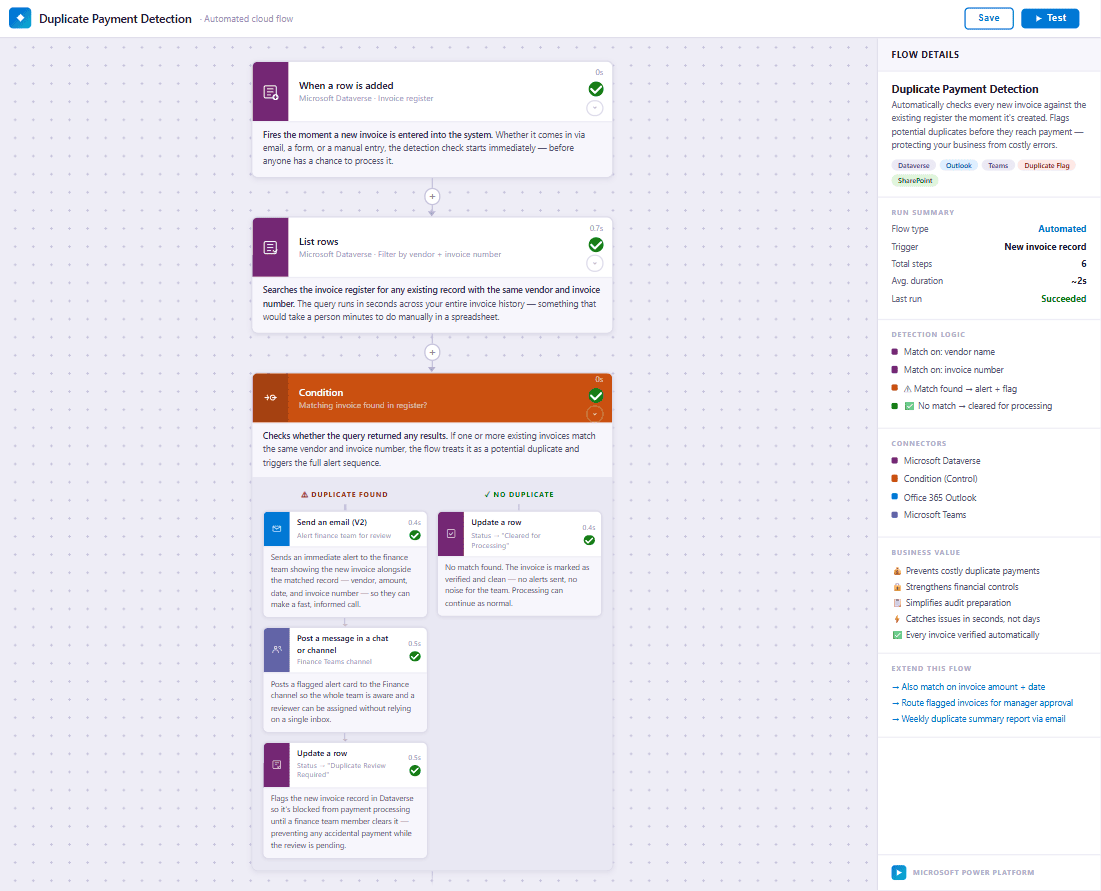
A new invoice with the same vendor and invoice number as an existing one is flagged and held for a person to check before payment.
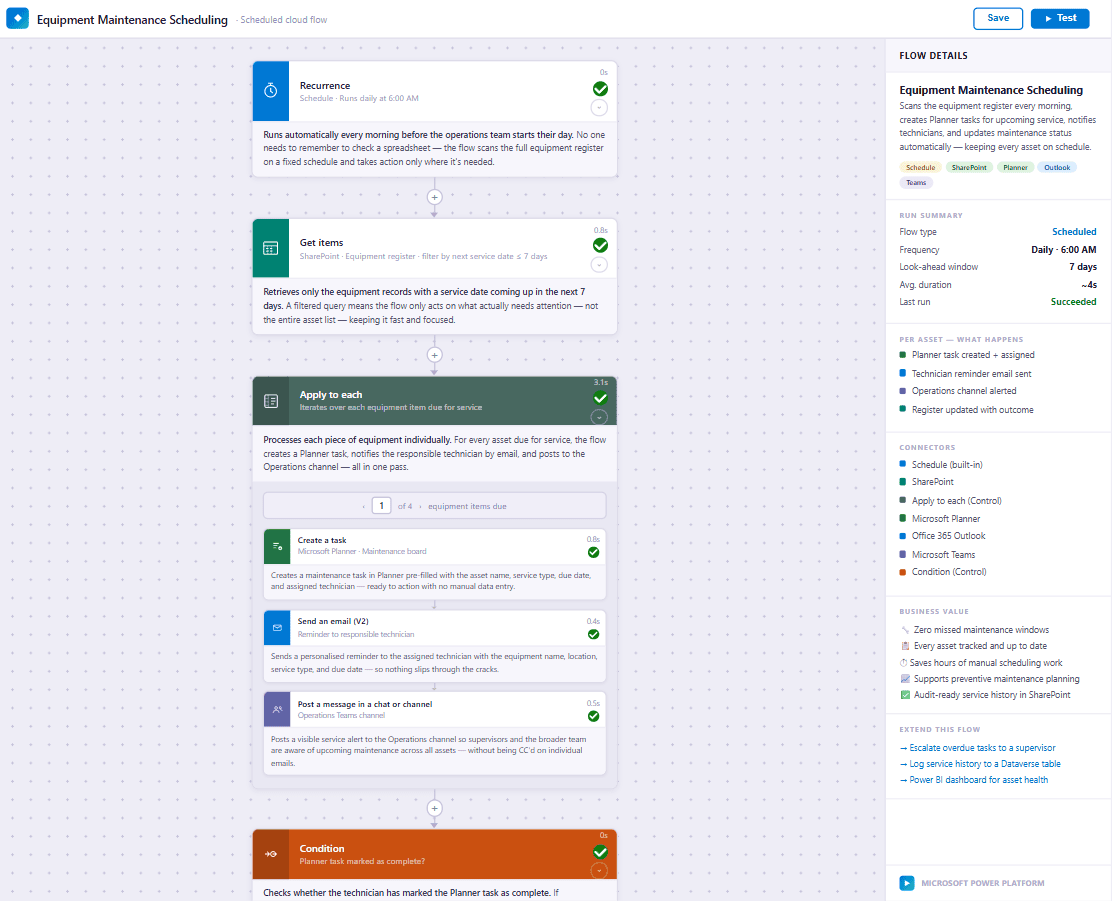
Each morning the flow finds equipment due for service in the next 7 days, creates a Planner task, reminds the technician and alerts the operations channel.
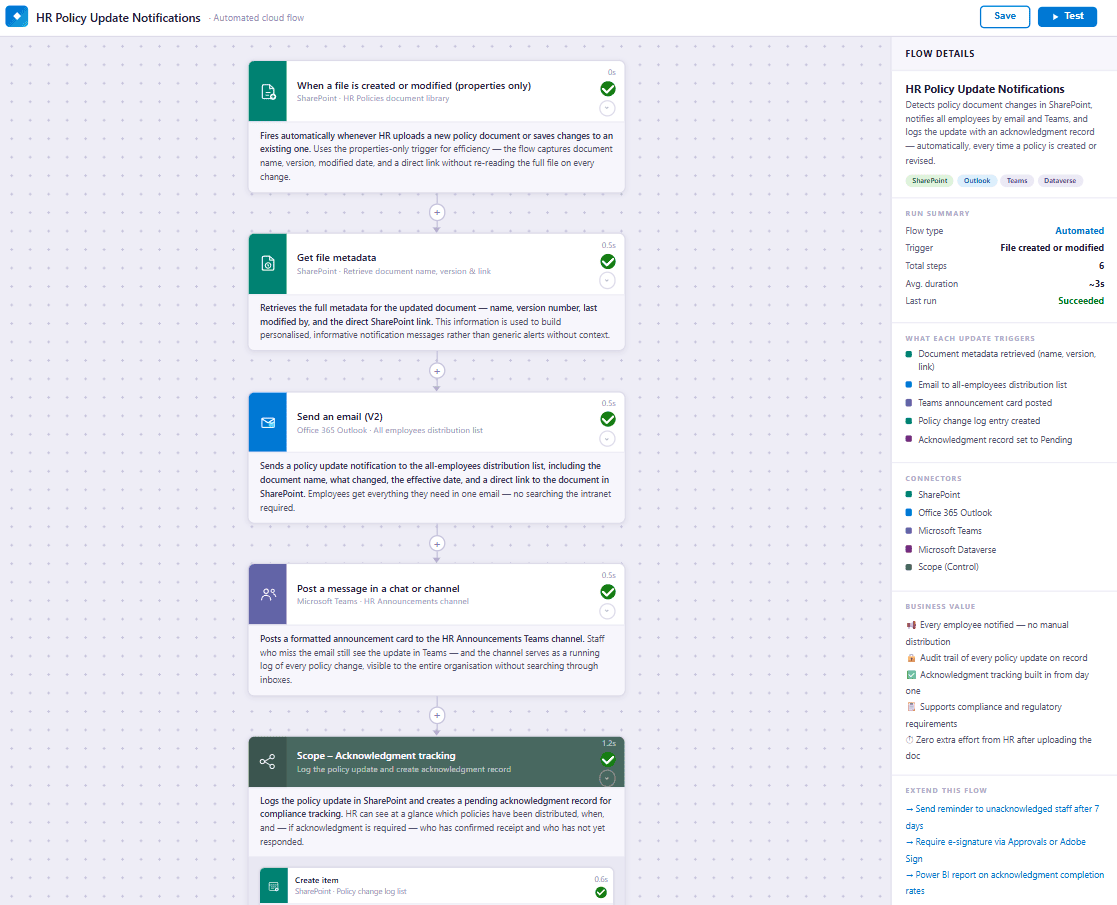
When HR uploads or updates a policy, the flow notifies all staff by email and Teams, logs the change and creates an acknowledgement record to track who has confirmed.
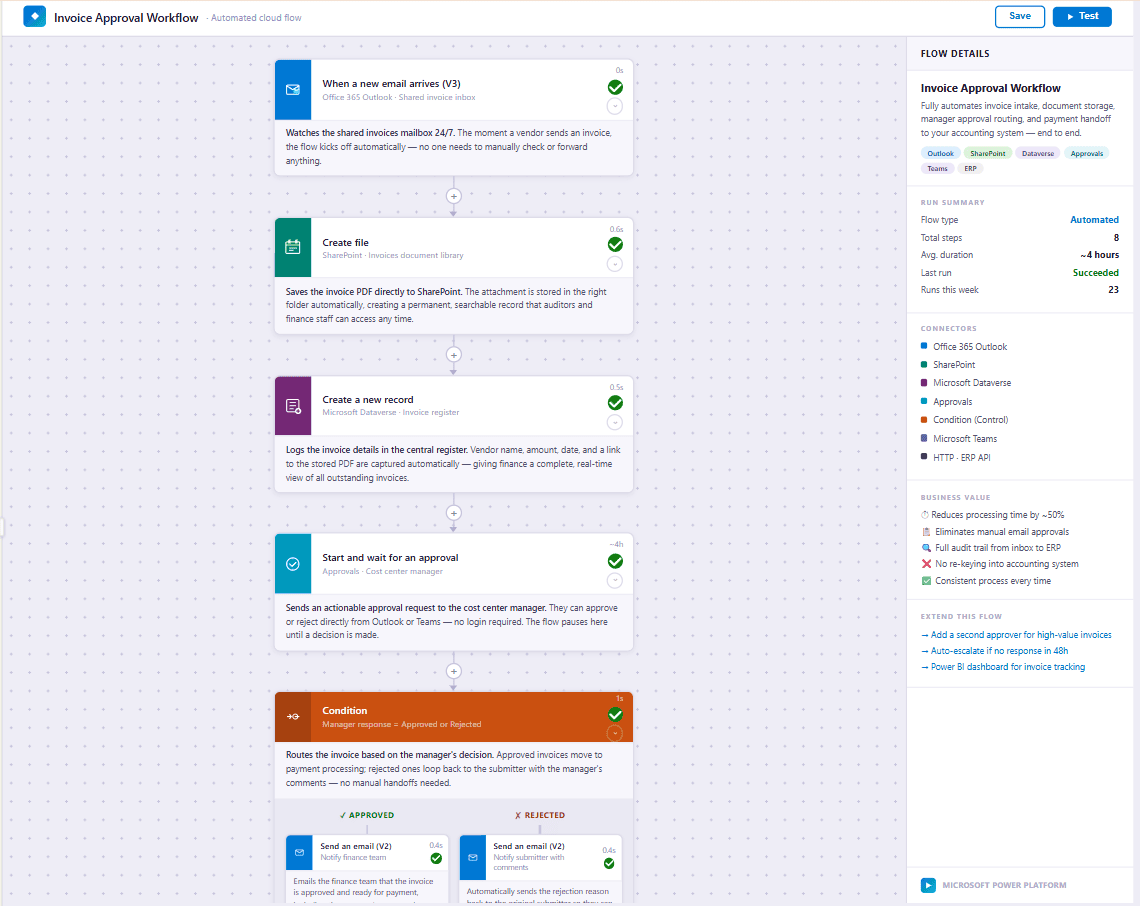
An invoice emailed to the shared inbox is saved to SharePoint, logged in the register and sent to the cost centre manager. Finance is told of approvals, and rejections go back to the submitter with comments.
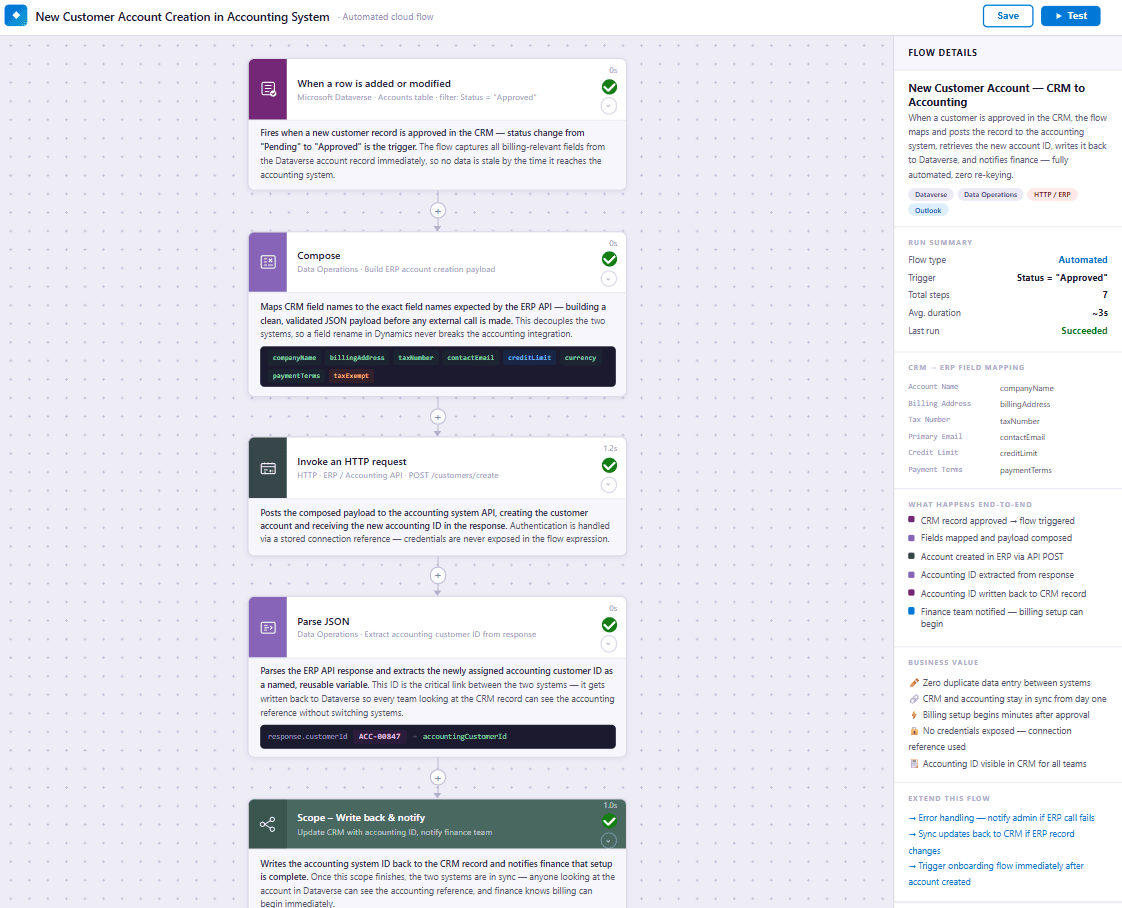
An approved customer record in the CRM creates the matching account in the accounting system, writes the account ID back, and tells finance.
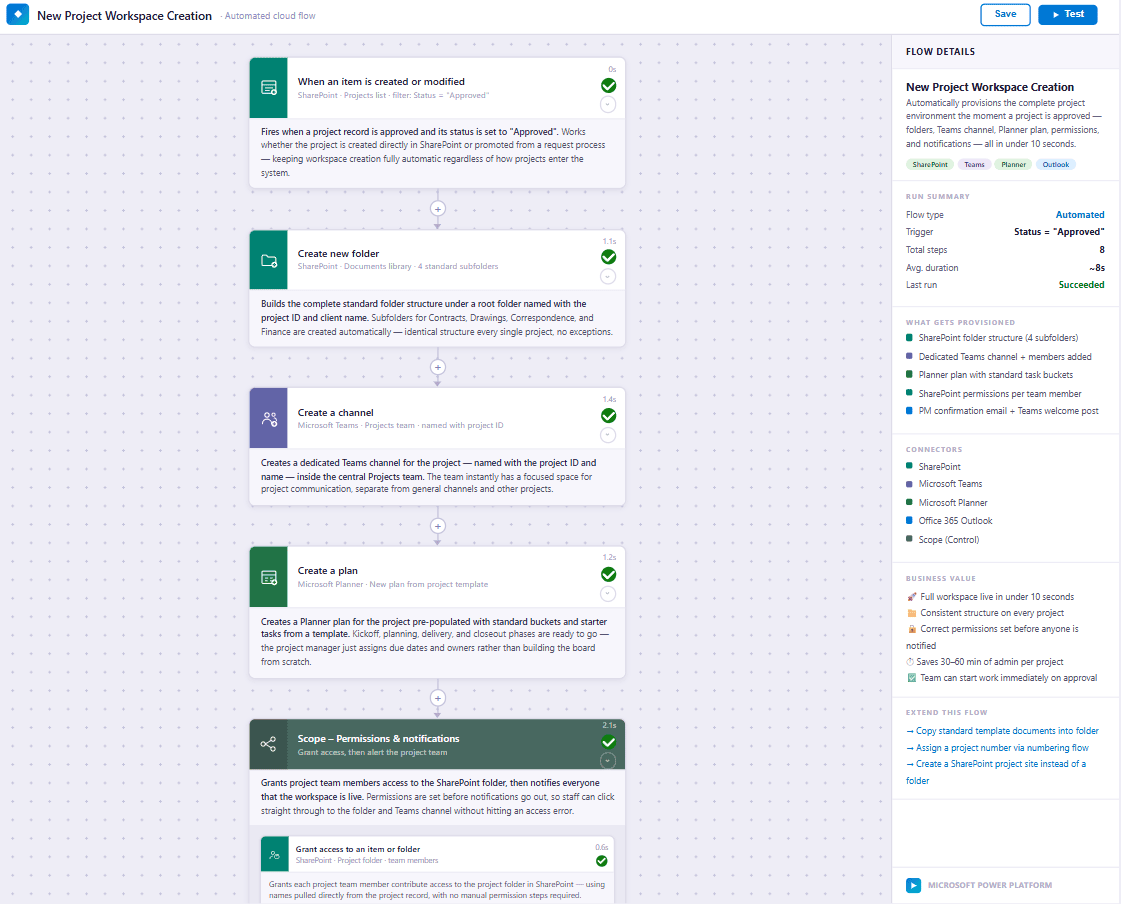
When a project is approved, the flow creates the standard folder structure, a Teams channel and a Planner plan, grants the team access, and notifies everyone.
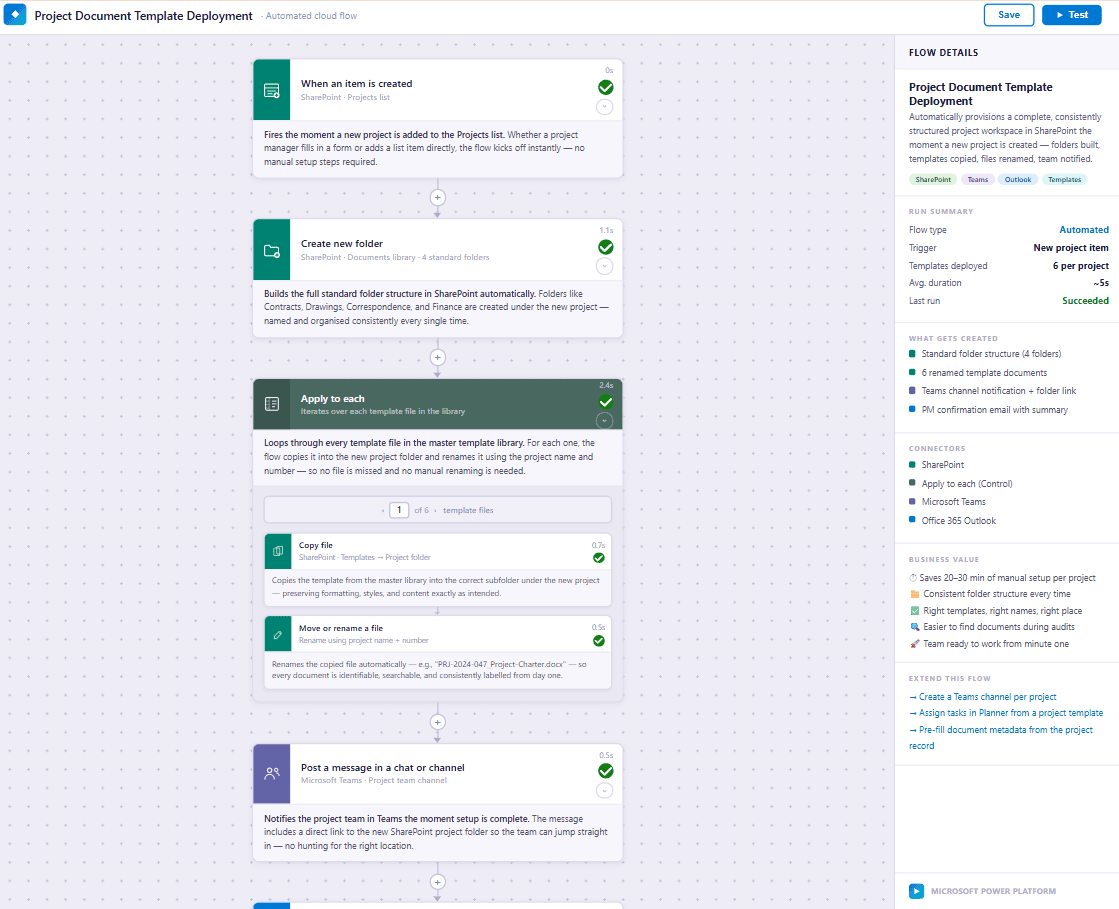
When a new project is added, the flow builds the standard folders, copies in the template documents renamed with the project name and number, and notifies the team in Teams.
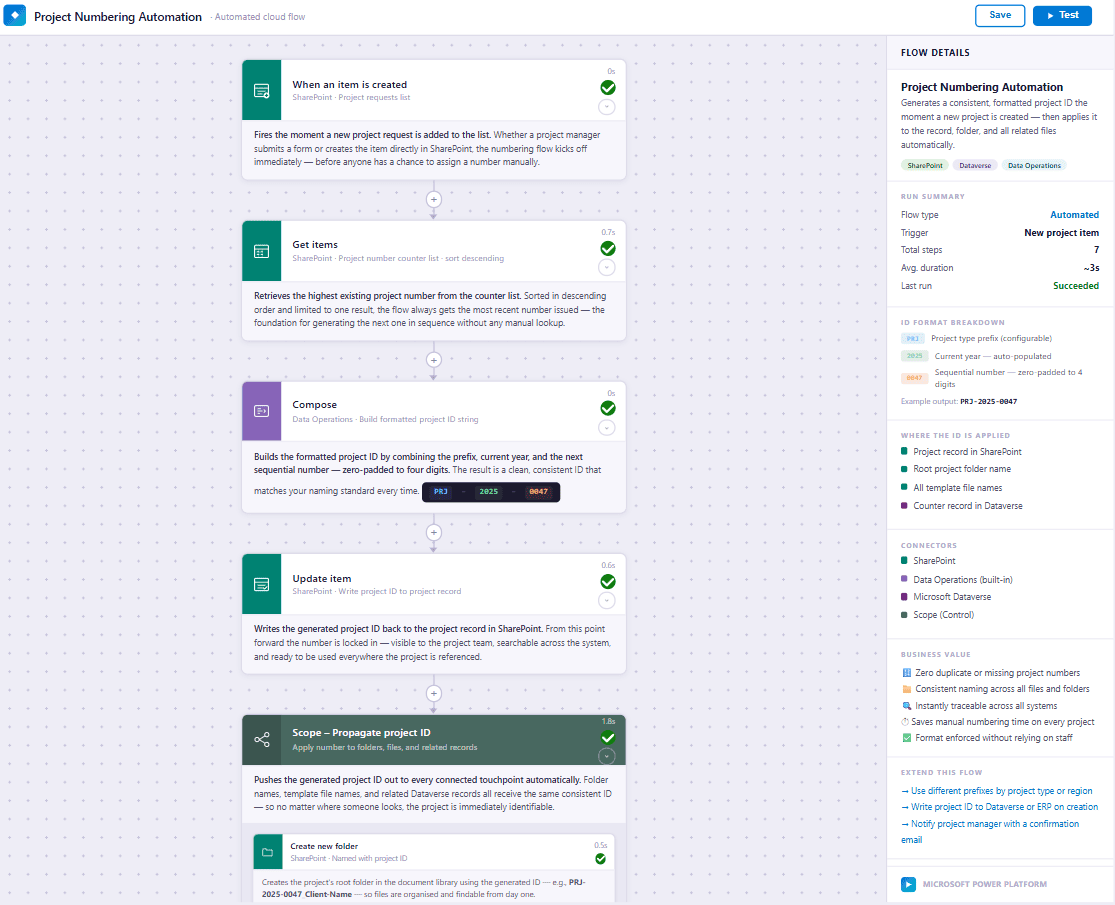
Each new project request gets the next number in your format, applied to the project record, its folder and the related files.
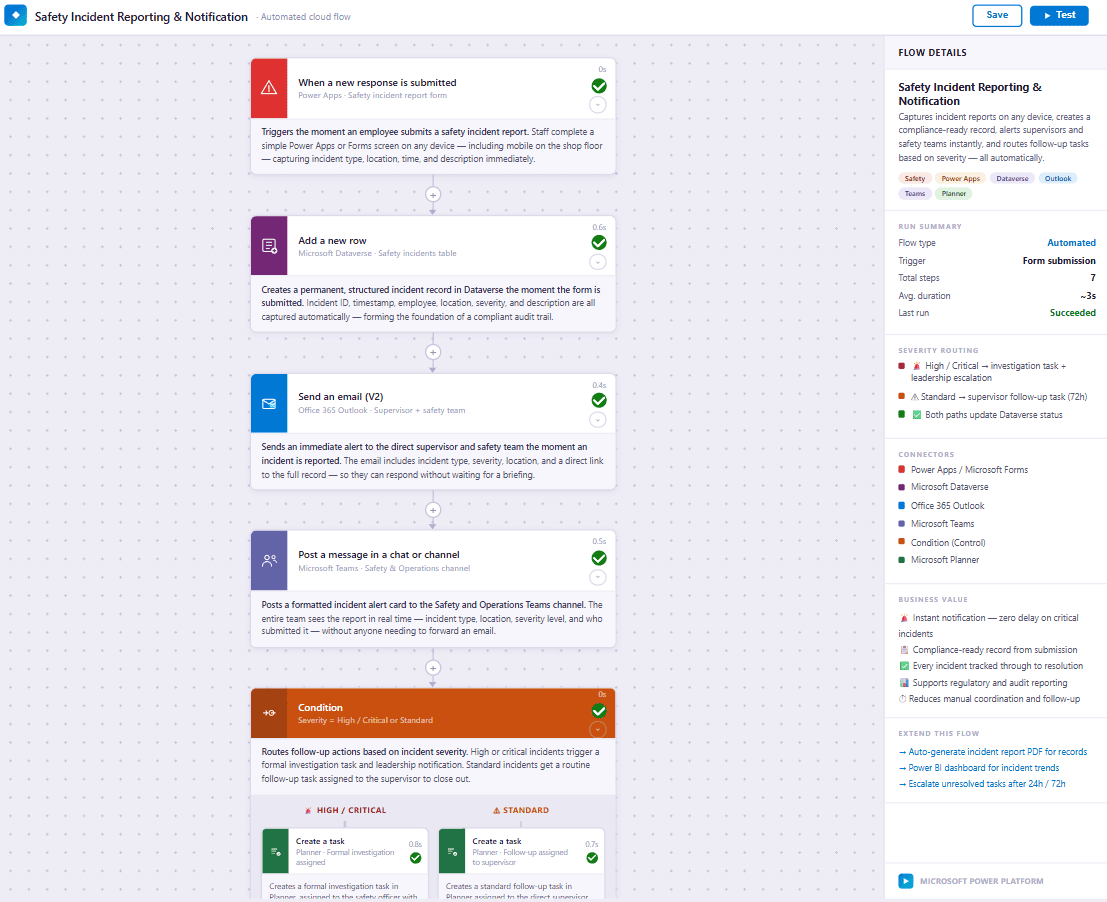
When an employee submits a safety incident report, the flow logs it, alerts the supervisor and safety team, and creates a follow-up task based on severity.
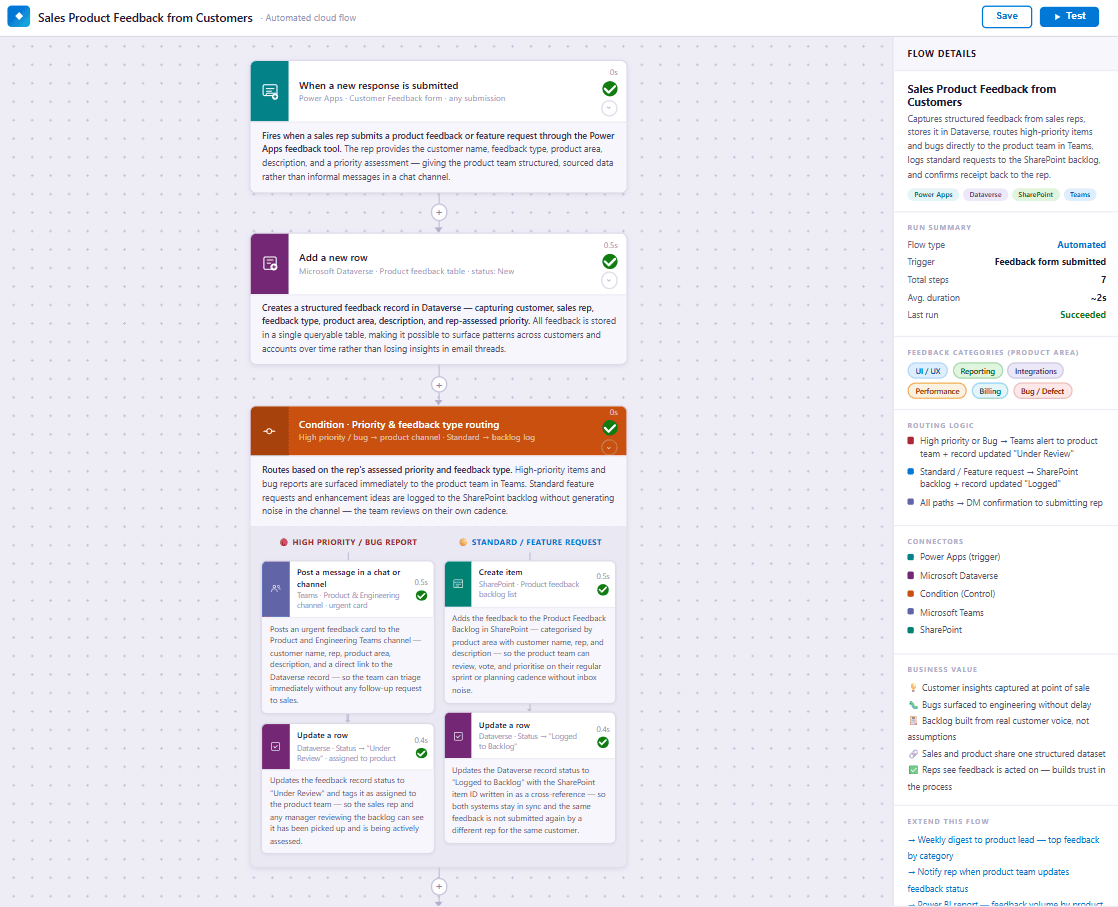
A sales rep's product feedback is stored in one place. Bugs and high-priority items alert the product team in Teams, and the rest is logged to the product backlog.
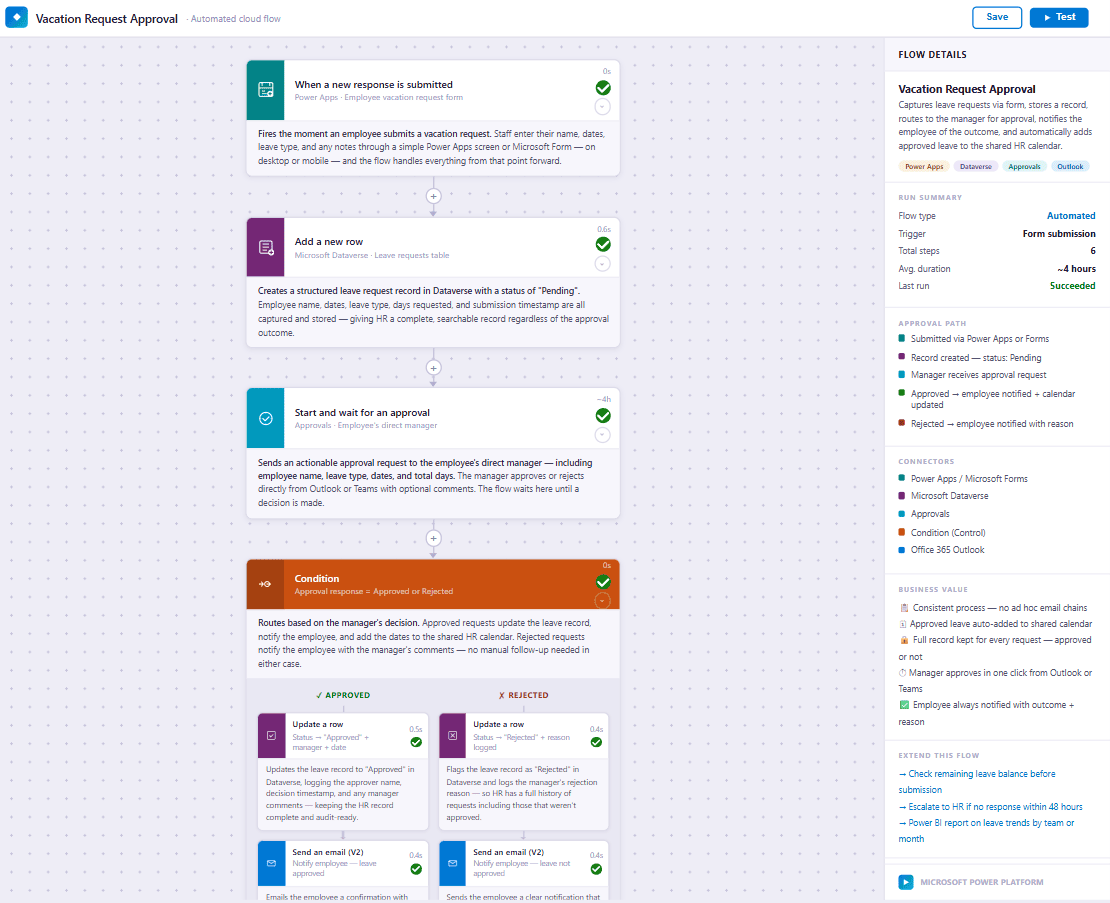
Staff submit time off, the manager approves in Teams or email, and approved leave is added to the shared calendar. The employee is told either way. Time off still tracked in a spreadsheet? See PeoplePoint Time Off.
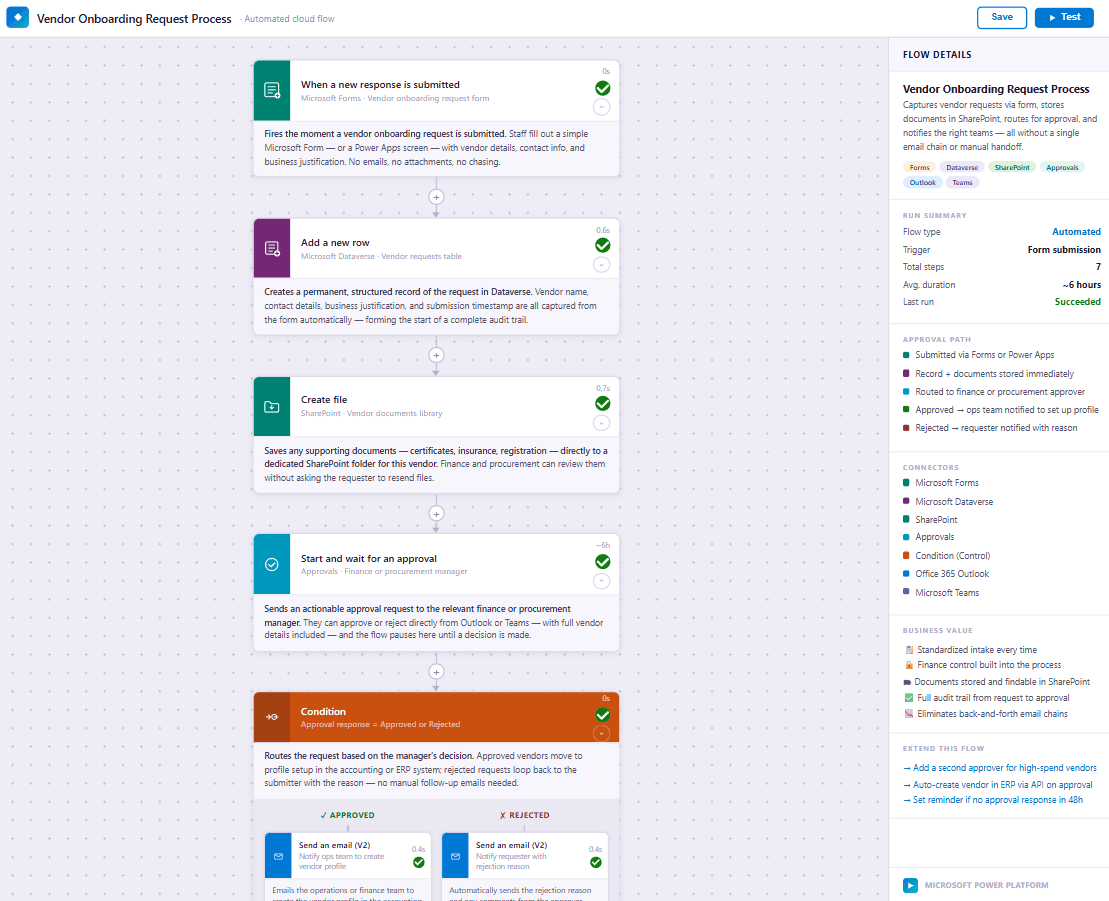
A vendor request is stored with its documents and routed to a finance or procurement approver. The decision goes to the operations team or back to the requester.
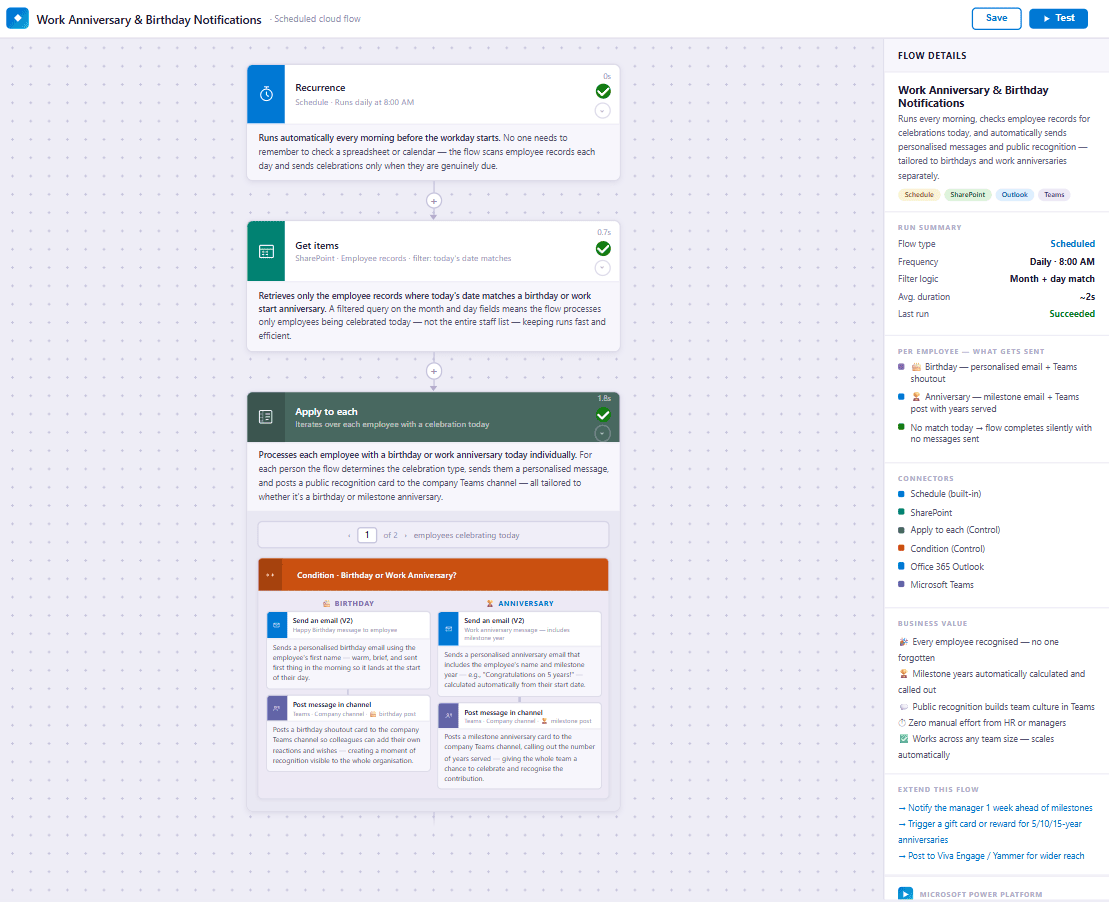
Each morning the flow checks employee records and sends a personal message and a Teams post for each birthday and work anniversary.

We acknowledge that we live and work on Treaty 7 Territory and across Alberta, honouring the traditional lands of the Blackfoot Confederacy, Tsuut’ina Nation, Îyâxe Nakoda Nations, and the Métis Nation of Alberta, and remain committed to respectful relationships with Indigenous Peoples wherever we operate. Learn more about Bauer Automate's commitment to Reconciliation.
We are dedicated to building an inclusive technology community. We champion diversity, equity, and opportunity so people of all backgrounds, identities, and experiences can collaborate, innovate, and thrive. Learn more about Bauer Automate's commitment to Inclusivity.


All rights reserved Bauer Automate Inc. ©2022-2026